Featured Post

Why blog?

Blogging is one way to reflect on our practice as teachers with the purpose of making things better for the future and sharing ideas with ...

Showing posts with label Quizizz. Show all posts

Tuesday, June 6, 2017

Constant Reflection & Improvement (Kristen Hammer)

This is in a series of posts by teachers in the TUSD Connect Fellowship for the 2016-2017 school year.  I hope you enjoy reading their reflections on the impact of technology in their classroom, specific tools and strategies that have made a positive impact on teaching and learning, and their goals moving forward.

This is my second go around as a fellow, and I think this time I truly understood and benefitted from the process.  Technology has impacted my teaching and my students in a variety of ways.  I think one of the most beneficial ways has been through a what I would call a semi-flipped class.  The ability to have students be prepared through watching a video, and answering questions before coming to class for a lab or lecture has saved us time and we can spend more time on labs and hands-on activities in class.  I haven’t used a total flip, but the implementation of what I have done I can say that the prior knowledge on a topic or lab has gone up.  The class has the ability to be front loaded before coming to class and I have seen a better participation rate in answering questions about the topic.  I have saved time going over procedures that I have had to do in the past during class time.  I know I still want to work on the participation rate, and I think if I start these with guidance in class they will see the benefit of completing outside of class.


I have also used videos when I know I am going to be out of the class with a substitute.  The videos have ensured my students don’t get behind with materials or instructions when I am out.  It’s business as usual, and I don’t feel that I am wasting a day when I am out.  I can give them notes as if I was there, go over homework, and ask them questions.


I believe I have also improved my formative assessments using technology.  I have instituted Quizizzes again this year, but this time I have required the students to meet a minimum % to receive credit for the assignment.  This makes it so they have to keep trying and not give up after one attempt.  I have seen a greater participation rate when I tie it a grade.  They also seem to do better on their tests.  The students also love Quizlet live, so I really like having that available during class for a quick review before a test or quiz.


Looking Ahead...
As I think about my continued goals and next steps, there are several areas that I was able to explore with my coach this year that I want to continue to revamp.

I tried a menu assignment that I really liked this year.  This assignment gave the students choice on what genetics problems to complete.  They had to complete so many in a set, but they got to choose.  I polled the students and they said they liked the choice.  I also have given them choice in doing some assignments digital or paper.   I would like to do more choice assignments in the future.  There is a bigger buy-in with these types of assignments.


I am also looking into digital notebooks, and the idea of Google Sites for the students to keep their science work sounds, and looks really cool.  I need to research this more over the summer to implement this next year.

I made a couple of hyperdocs this year for the students to use and follow through the units.  I would like to continue this.  I see the benefit of having a one stop shop for the students to see where we are going in a topic or unit.

I also need to rethink my digital labs and doing them in Google Docs or Google Forms.  I was really bad about timely feedback when they are digital, so I think if I use the sites idea there could be more timely feedback.  I will continue to revise and revamp my lab write-up process.

I tried implementing Classroom Dojo, and it was helpful, but not exactly what I am looking for in a randomizer.  I will continue to think about this, and find the tool that works for me to make sure students are engaged and all students are participating.  Overall, I think my student engagement has improved, but I still would consider this an area to continue to improve upon.

Obviously, a big thing coming is NGSS implementation, and my curriculum will be changing due to this.  I have a lot of work ahead to make what I have now fit into the new standards and performance expectations.

Reflections on being a Fellow...
The fellowship has been extremely beneficial having someone to bounce ideas for curriculum implementation and revision off of.  Two heads were always better than one.  I believe the fellowship is only as good as what the fellow puts into it.  I was willing to try most things, some failed and some succeeded, but I feel that it pushed me more than I would have normally.  I enjoyed working with my coach, she was the perfect match for me.  She let me vent, but then got me back on track with the work ahead.  I felt if I wasn’t moving forward I was letting her down, and I didn’t want to do that.  If I thought of something, and posed a question to my coach, I always knew I was going to get a response about the idea or question.  I also needed the reminder of why was I doing something, was it going to enhance my teaching and the students learning, or was it just a replacement for the same.  I am better at reflecting on my use of technology and when and where it is best suited.

I loved that fact that although my coach wasn’t a science teacher in her past, she always tried to find examples and ideas that suited to science. This has been a worthwhile experience, and I will continue to consider my coach as my DLC (Digital Learning Coach) even if I am not going through the coaching cycle each week with her.


My name is Kristen Hammer.  I have been teaching science for 17 years.  I am currently teaching Biology, and my  science department’s chair.
I received my undergrad from Northern Arizona University in Zoology and my Master’s and teaching credential from National University.

I believe in making curriculum accessible and meaningful for all students.  I feel that each year of teaching should look new and different with the implementation and revision of a teacher’s art; their curriculum.

Tuesday, May 30, 2017

Transitioning from Teacher-Based to Teacher-Facilitated Learning with Technology (Ken Cooper)

This is in a series of posts by teachers in the TUSD Connect Fellowship for the 2016-2017 school year.  I hope you enjoy reading their reflections on the impact of technology in their classroom, specific tools and strategies that have made a positive impact on teaching and learning, and their goals moving forward.

For me this year technology has impacted my classroom by making me more efficient and taken off the load of having to be the source of information transfer to the students.  Technology has also improved quality of learning as well as the teaching process itself, making it easier to check understanding of ideas and concepts that were once too difficult to check in the traditional manner (verbally or with quizzes).


In the past, my use of technology had been limited to using Haiku as a discussion board and an avenue to take auto-graded multiple choice tests.  I had briefly dabbled in Google Classroom, but underutilized the potential it had.  By becoming involved with the Tech Fellowship, I have gained the confidence to try new tools that I would in all likelihood never have sought out and tried on my own. If it had not been for the Tech Fellowship, I feel the students in my class would have not have been exposed to the same learning environment.  I am truly glad that I took the chance to enter into this program.


Technology has put the learning into the hands of the students in the form of sites beyond that of the old standards of Google and Wikipedia.  Now students have immediate access to tools such as GoFormative, Quizizz, and Edpuzzle (click the links for sample lessons / assignments used).  These tools allow students to gain knowledge either on their own or through collaborative learning - providing students of different learning styles and preferences access to the material. In addition, I have used Haiku discussions in class allowing all students the ability to enter into a class discussion regardless of their public speaking comfort level. Lastly, Google Forms is an easy way to collect data from students on how they perceive the value and effectiveness of a lesson or concept, especially a new way of introducing a topic.


One specific lesson I'd like to share revolves around a hyperdoc my coach and I created about the most important Supreme Court cases that Earl Warren had a part in deciding. The hyperdoc walks you through the 5 tasks that students engaged in over the course of 3 class days.
The goal of this assignment was to expose the students to historic Supreme Court cases that have an impact on our lives as a whole, both through rights of the accused as well as free speech issues.  Students know of their rights but assume that these rights, lawyer, remaining silent, evidence obtained from illegal searches being inadmissible have always been the case.   
By organizing the assignment this way, students understand the time frame in which so many iconic Supreme Court decisions were rendered.  They are amazed that these rights they take for granted were argued and decided less than 60 years ago.
Resources:


Looking Forward...
Next year I would like to start to emphasize and use hyperdocs more to create more long term assignments of more than just a day or two allowing deeper understanding of the impact both short and long term in the material covered in CP US History. I've already started to work on one with my coach about US Foreign Policy over time. It is still a work in progress (I'm prepping it for next year), but you can check out what I have so far here.

Looking Back
I cannot begin to state how effective this fellowship has been on my teaching.  I went from someone who would not use certain lessons that fellow teachers would use because I was unfamiliar with technology or a techno-phobe.  I was leary of using technology solely for the sake of using technology.  Students having their computers in class has gone from once or twice  a week, to nearly daily, such as having a pencil and paper.  The fact that I was willing to try technology to help my students to engage in their learning by the use of technology helped me to get over the fear of the use of technology for things other than attendance and grades. It also help me to see that the things that worked best in my classroom and worked best for my students were usually technology-based.


Ken Cooper is a US History teacher at Beckman High School as well as the ASB Director for the school. He enjoys teaching and the interactions both inside and outside of the classroom. Before coming to teach in Tustin Unified in 1996, he student taught at Troy High School in Fullerton and worked in Orange Unified.


Wednesday, July 20, 2016

Improving Student Learning through Instant Feedback & Constant Communication (Tracy Dawson)

This is in a series of posts by teachers in the TUSD Connect Fellowship for the 2015-2016 school year. I hope you enjoy reading their reflections on the impact of technology in their classroom, specific tools and strategies that have made a positive impact on teaching and learning, and their goals moving forward.

Technology has transformed my classroom this year!

I have infused technology in my lessons in previous years but through this Technology Fellowship I have created a learning environment that is dynamic, effective, and efficient for my students all driven by the purposeful use of technology.  I teach Human Body Systems (HBS), AVID, and Biology CP and I have integrated technology into each of them in different ways.  

One of the major shifts this year in HBS is making my labs digital.  There is a lot that goes into digitizing a lab so the process has been quite an undertaking but the benefits make it completely worth the time invested.  I utilize Google Classroom in HBS (as well as in AVID and Biology).  The organization of Google Classroom and Google Drive has been a great way for my students to have a place to go to for all labs/handouts/links/announcements/etc.  It avoids students being confused on where to go to get the document or link and it allows for students to have a “homebase”.  In HBS, the students complete a lab about once a week and before digitizing my labs I was not completely satisfied with the way I was checking their progress or their understanding besides informal assessments and check-ins and Friday Quizzes (which at that point was a bit late).  I now can give every student real-time feedback as they are completing their lab through the great collaborative feature of Google Docs.  I have a running dialogue with my students about their lab and it is a place they can ask questions and I can clarify key points as well as checking in on their progress on the lab.  My HBS students are very comfortable with Google Classroom and Google Drive so I can ask them to take pictures of their dissections spur of the moment and they are able to digitally label them in a Google Drawing and upload them to Google Classroom so I can grade their dissections more thoroughly and they can have their labeled dissection to review. Here is an example of a labeled Digestive System from the Fetal Pig Dissection.  


Here are a few other ways technology impacted teaching and learning... with samples for you to look at!
  • I embedded Quizlets into GoFormative for all three of my classes as formative assessments as well as review for the students.  Here is an example of a quizlet embedded into GoFormative for a Biochemistry review for my Biology CP class.  


  • Google Drawings - The students created Google Drawings of concept maps for the Endocrine System as well as for the Insulin/Glucagon Feedback Loop in the Human Body.  Here is a Student Sample of the Insulin/Glucagon Feedback Loop.  In previous years, I had the students draw their concept maps and feedback loops on paper and I was not able to fully review them until they turned them in which was on the day of the quiz so it was too late to fix major misconceptions.  Having the students create them on Google Drawings allowed me to write comments on them as they were making them so misconceptions were dealt with right away.    

  • I also used Quizizz, Socrative, Let’s Recap, and GoFormative to do concept checks and for the students to review for the quizzes and tests in our class.  Anatomy has a lot of terms that the students need to know and the spelling is important so the Quizlets I embedded into GoFormative were particularly helpful because they tested my students on definitions, spelling, and being able to label diagrams.

  • I also utilized Google Forms (for reflections and to collect data), Padlet (get to know activity, summing up lessons, and reflections), and ThingLink (making a diagram of a cow eye more dynamic by adding “tags” to label each part, stating its function, and inserting videos).

  • AVID - Digital Journals (student-teacher dialogue), Google Forms (grade reflections, submitting questions for Socratic Seminars).  All of these allowed me to actually read and provide timely feedback to each of my students which was more difficult and time consuming to do when they wrote their journals on paper.  Before I digitized the journals and reflections in AVID, it took me so long to read them and I felt that in the time it took for me to get my written feedback back to my students, part of the impact of the feedback was lost.  Now, I am able to give immediate feedback and it helped me in the beginning of the year to get to know my students very quickly.

  • Biology - Collaborative labs on Google Docs, Google Forms (submitting lab data, reflecting on test/unit/grade in class), Google Slides (visual vocabulary), Google Drawing (Karyotype Activity), Quizizz, GoFormative, and Padlet.


I am very excited to continue to refine my use of technology in my classroom next year.  This summer, I plan to complete the certification and exams to become a Google Certified Teacher (Levels 1 and 2).  I am also planning on taking two technology courses online (“Flipping the Classroom” and “All Things Google”).  Finally, my new obsession, Twitter!  I will continue to connect with educators on Twitter to grow and develop my purposeful use of technology in the classroom.

I cannot begin to say how impactful this fellowship has been on my teaching practice.  I went from someone who would sometimes shy away from using certain things because I assumed the students wouldn’t have their devices (mostly in Bio) or not knowing if it was going to work well to now wanting to try every awesome idea that I come across!  Like most things in a teacher’s classroom, if it is set as an expectation from the beginning of the school year, then a teacher will have a lot less trouble during the year.  In my class, having your device everyday is like having a pencil and paper.  I also found the more willing and open I am to trying new things in my classroom, the more willing my students are.  There were times when I used a certain technology in my class and I thought “that was okay” but I can make it way better by tweaking a few things or using a different technology to accomplish the same goal in a more effective manner.  But the fact that I was not afraid to try the technology and my students were willing to engage in their learning through the use of a specific technology helped me to discover the things that worked best in my classroom and worked best for my students.

Tracy Dawson is a Human Body Systems, Biology, and AVID teacher at Beckman High School in Irvine, CA.  She is an innately curious person and considers herself a “lifelong learner”.  Tracy is a self-professed science and tech nerd and loves to be constantly adding to her “tech toolbelt” and enhancing her teaching and her students’ learning through the purposeful use of technology.  Tracy also serves as AVID Coordinator and a mentor teacher in the science department.  

Sunday, May 29, 2016

Tried and True Lessons Made New (Stephen McGill)

This is in a series of posts by teachers in the TUSD Connect Fellowship for the 2015-2016 school year. I hope you enjoy reading their reflections on the impact of technology in their classroom, specific tools and strategies that have made a positive impact on teaching and learning, and their goals moving forward.

Every year I feel like a new teacher. While I build upon the successes of the past, I am constantly evaluating to what extent the activities I have designed are meeting the needs of my current students. To this end, the frequency and scope of my implementation of technology in the classroom this year represents a dynamic shift in my teaching. I have used several applications to what I perceive to be great results in the past. However, through the coaching process, my repertoire of applications has increased dramatically. I am now able to move more seamlessly between various apps and select an appropriate tool for specific lessons.

If student learning is simply a function of exam scores, then the use of technology in the classroom is having a demonstrably positive effect on student outcomes. More importantly, using technology has also increased student engagement and class participation, When I provided a one or two page activity on printed paper, most students would dutifully answer the questions or respond to the prompts with just enough elaboration to address the prompt and support the response with evidence. However, I have noticed throughout the past year that when similar activities are pushed out via Google Classroom, the depth and complexity of students’ responses has increased steadily.

The following student samples demonstrate the depth of their preparation on an activity that would typically have a one or two page response.


The following applications represent what I will continue to use as an integral part of my teaching.
  • Google Classroom
  • Google Drive
  • Google Docs, Slides, Drawings
  • Google Forms
  • Padlet
  • Verso
  • GoFormative
  • Haiku (discussions, polls, content management)
  • Quizizz
  • Kahoot
  • Ancillary Resources (videos, websites)


Google Drawing
While many of my lessons and activities may look similar to what I have done in the past, I know I have made incremental, though profound changes that have ultimately resulted in better lessons and increased student engagement and performance. For example, using Google Drawing for my previous “Tell the Story” framework has resulted in significantly better results. Exam scores and commentary during the class discussions and debates reflect this increased understanding both quantitatively and qualitatively.

Here is a student example that demonstrates the connections between significant events during President Jefferson’s tenure in office from 1801 - 1809.


Presentation on Google Classroom and Google Drawing
I had the great privilege of presenting this year at the TUSD Connect Institute 2016 with my Digital Learning Coach and mentor Crystal Kirch. We presented an overview of Google Classroom and demonstrated the use of Google Drawing, Docs, and Forms in the classroom. Please use the following link to access the slides and the examples.


Padlet
While I use several applications in my teaching interchangeably throughout the year, Padlet has always been my “go to” platform for expedient and purposeful student responses. Earlier this year, I used Padlet to facilitate responses from my students regarding the excerpt I had each of them read from Babbitt, by Sinclair Lewis. The purpose of the reading was to provide students with a glimpse into the world of a successful businessman, who in the beginning of the 1920s, represented the upper-middle class.

At the beginning of class, I provided an introduction to various book covers of Babbitt. Students shared their interpretations during our class discussion. I had students listen to the title track from The Lego Movie titled “Everything is Awesome.” I asked them to comment to what extent this would serve as a theme song for the 1920s. Shortly after, I assigned various groups specific prompts regarding the text as it relates to today.

Here is a sample of what student responses to a prompts regarding the text as it relates to today look like on the Padlet wall.

Padlet - The Epilogue
While the class discussions were on point and revealed the striking parallels between the 1920s and today, I learned an even more valuable lesson regarding instructional practices from this experience.


The BREAKTHROUGH of my Tech Journey!

Specifically, I am constantly considering how and in what way I want my students to interact with the material. As I reflected on this experience, I came to following conclusions:

  • I employ the use of technological applications most frequently when I am confident that my students are well-versed and prepared with regard to the topic at hand. I often use applications such as Padlet, Formative, Verso, Kahoot, or AnswerGarden.

  • If I am NOT confident that my students understand the material, I am finding that I move away from using technology and go directly to providing prompts for students in pairs or groups to begin the discussion and to provide the opportunity to conduct research. If students do not know the material very well, I am finding that their responses via any technological application will not reveal startling insights or spark an epiphany among their peers. As such, why employ the use of an app and valuable class time for the sake of using technology?


My Conclusions

My answer to my own questions is that I always consider the ultimate purpose for having students use applications as I plan lessons. My decisions are based upon the following criteria:

New concept/material
Use a class prompt/stimulus and provide time for students to reflect, discuss, research, and share.
Significant preparation and familiarity
Use an app or technological platform to showcase/broadcast understanding


Verso
As I mentioned previously, I use several apps to elicit student responses and to prompt student discussion and interaction. While Padlet serves as an expedient and purposeful tool for showcasing student responses, I have used Verso specifically to highlight students writing, NOT student authorship. In other words, it has been my experience that many students will evaluate student writing samples based upon who the author is and not upon the quality or cogency of the actual writing.  

To this end, Verso has provided an excellent platform that allows students to anonymously post their responses and provide feedback to others without the bias inherent with authored posts or comments.

Here is a sample of what student responses to a prompt using Verso looks like on on the screen.


The Tech Fellow Journey Continues…

Based upon the impact that the use of technology has had upon my teaching and the success of my students, I am eager to refine, revise, and create activities that will continue to encourage the exchange of information, ideas, and perspectives among my students. Although I used the apps highlight below this year, I will make a concerted effort in the near future to employ these apps more consistently and comprehensively to encourage student interaction and learning in my classroom.


While the following tools are NOT in my toolbelt at this time, I plan to explore each and implement them in the classroom with my students next year!


My Final Thoughts as a Tech Fellow
Although I am approaching the end of my 18th year in education, this is my first experience having a dedicated, weekly mentor to help me improve and refine my practice. I think it goes without mentioning that it was long overdue. As such, I want to continue to improve my craft and develop new lessons utilizing the apps and ideas I have learned and implemented throughout the year. The evolution and use of technology and its use in the classroom will only hasten with time. As such, I feel more confident in my ability to use new and existing apps, to reinvent old lessons and activities, and to develop new experiences for my future students with apps that may not even be developed.

The Tech Fellowship has been a welcome and enriching professional and personal experience. Teaching six classes and 200+ students does not always afford me the time to search for technological solutions to pedagogical problems. The Tech Fellowship has provided me with a dedicated partner to help me negotiate this process. Additionally, I feel more confident in my ability to develop and use a wider array of apps with my students. The more apps I learn  and use, the easier it is to use them in the classroom. Consequently, the more I use a variety of apps in the classroom, the easier it is for my students to respond more efficiently and more meaningfully. Furthermore, my tenure as a Tech Fellow has empowered me to what I have learned with my students and with my colleagues.

About the Author
Stephen McGill has been teaching in the Tustin Unified School District since he entered the profession in 1998. He currently serves as the History/Social Science Department Chair at Beckman High School in Irvine, a position he has held since the school opened in 2004. He has taught a wide-range of courses to students in grades 6 - 11 from language arts and history in middle school to Advanced Placement United States history in high school. He started his career at the middle school level at Columbus Tustin Middle School. After one year, he served as a member of the founding staff at Pioneer Middle School where he served as department chair until he joined the Beckman faculty. Most recently, Stephen has joined the faculty at Concordia University in Irvine in his newest role is as an adjunct professor where he teaches the introductory course to students who have enrolled in the teaching credential program and who aspire to join the profession.


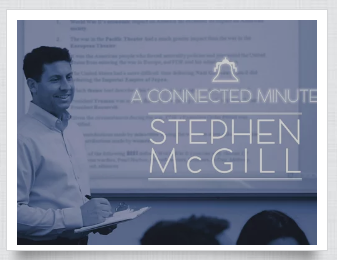
Watch the “Connected Minute” video to learn more about Stephen and his perspective on teaching and family.