This is in a series of posts by teachers in the TUSD Connect Fellowship for the 2015-2016 school year. I hope you enjoy reading their reflections on the impact of technology in their classroom, specific tools and strategies that have made a positive impact on teaching and learning, and their goals moving forward.
Every year I feel like a new teacher. While I build upon the successes of the past, I am constantly evaluating to what extent the activities I have designed are meeting the needs of my current students. To this end, the frequency and scope of my implementation of technology in the classroom this year represents a dynamic shift in my teaching. I have used several applications to what I perceive to be great results in the past. However, through the coaching process, my repertoire of applications has increased dramatically. I am now able to move more seamlessly between various apps and select an appropriate tool for specific lessons.
If student learning is simply a function of exam scores, then the use of technology in the classroom is having a demonstrably positive effect on student outcomes. More importantly, using technology has also increased student engagement and class participation, When I provided a one or two page activity on printed paper, most students would dutifully answer the questions or respond to the prompts with just enough elaboration to address the prompt and support the response with evidence. However, I have noticed throughout the past year that when similar activities are pushed out via Google Classroom, the depth and complexity of students’ responses has increased steadily.
The following student samples demonstrate the depth of their preparation on an activity that would typically have a one or two page response.
The following applications represent what I will continue to use as an integral part of my teaching.
|
Google Classroom
Google Drive
Google Docs, Slides, Drawings
Google Forms
Padlet
Verso
GoFormative
Haiku (discussions, polls, content management)
Quizizz
Kahoot
Ancillary Resources (videos, websites)
|
Google Drawing
While many of my lessons and activities may look similar to what I have done in the past, I know I have made incremental, though profound changes that have ultimately resulted in better lessons and increased student engagement and performance. For example, using Google Drawing for my previous “Tell the Story” framework has resulted in significantly better results. Exam scores and commentary during the class discussions and debates reflect this increased understanding both quantitatively and qualitatively.
Here is a student example that demonstrates the connections between significant events during President Jefferson’s tenure in office from 1801 - 1809.
Presentation on Google Classroom and Google Drawing
I had the great privilege of presenting this year at the TUSD Connect Institute 2016 with my Digital Learning Coach and mentor Crystal Kirch. We presented an overview of Google Classroom and demonstrated the use of Google Drawing, Docs, and Forms in the classroom. Please use the following link to access the slides and the examples.
Padlet
While I use several applications in my teaching interchangeably throughout the year, Padlet has always been my “go to” platform for expedient and purposeful student responses. Earlier this year, I used Padlet to facilitate responses from my students regarding the excerpt I had each of them read from Babbitt, by Sinclair Lewis. The purpose of the reading was to provide students with a glimpse into the world of a successful businessman, who in the beginning of the 1920s, represented the upper-middle class.
At the beginning of class, I provided an introduction to various book covers of Babbitt. Students shared their interpretations during our class discussion. I had students listen to the title track from The Lego Movie titled “Everything is Awesome.” I asked them to comment to what extent this would serve as a theme song for the 1920s. Shortly after, I assigned various groups specific prompts regarding the text as it relates to today.
Here is a sample of what student responses to a prompts regarding the text as it relates to today look like on the Padlet wall.
Padlet - The Epilogue
While the class discussions were on point and revealed the striking parallels between the 1920s and today, I learned an even more valuable lesson regarding instructional practices from this experience.
The BREAKTHROUGH of my Tech Journey!
Specifically, I am constantly considering how and in what way I want my students to interact with the material. As I reflected on this experience, I came to following conclusions:
I employ the use of technological applications most frequently when I am confident that my students are well-versed and prepared with regard to the topic at hand. I often use applications such as Padlet, Formative, Verso, Kahoot, or AnswerGarden.
If I am NOT confident that my students understand the material, I am finding that I move away from using technology and go directly to providing prompts for students in pairs or groups to begin the discussion and to provide the opportunity to conduct research. If students do not know the material very well, I am finding that their responses via any technological application will not reveal startling insights or spark an epiphany among their peers. As such, why employ the use of an app and valuable class time for the sake of using technology?
My Conclusions
My answer to my own questions is that I always consider the ultimate purpose for having students use applications as I plan lessons. My decisions are based upon the following criteria:
New concept/material
|
Use a class prompt/stimulus and provide time for students to reflect, discuss, research, and share.
|
Significant preparation and familiarity
|
Use an app or technological platform to showcase/broadcast understanding
|
|
Verso
As I mentioned previously, I use several apps to elicit student responses and to prompt student discussion and interaction. While Padlet serves as an expedient and purposeful tool for showcasing student responses, I have used Verso specifically to highlight students writing, NOT student authorship. In other words, it has been my experience that many students will evaluate student writing samples based upon who the author is and not upon the quality or cogency of the actual writing.
To this end, Verso has provided an excellent platform that allows students to anonymously post their responses and provide feedback to others without the bias inherent with authored posts or comments.
Here is a sample of what student responses to a prompt using Verso looks like on on the screen.
The Tech Fellow Journey Continues…
Based upon the impact that the use of technology has had upon my teaching and the success of my students, I am eager to refine, revise, and create activities that will continue to encourage the exchange of information, ideas, and perspectives among my students. Although I used the apps highlight below this year, I will make a concerted effort in the near future to employ these apps more consistently and comprehensively to encourage student interaction and learning in my classroom.
While the following tools are NOT in my toolbelt at this time, I plan to explore each and implement them in the classroom with my students next year!
My Final Thoughts as a Tech Fellow
Although I am approaching the end of my 18th year in education, this is my first experience having a dedicated, weekly mentor to help me improve and refine my practice. I think it goes without mentioning that it was long overdue. As such, I want to continue to improve my craft and develop new lessons utilizing the apps and ideas I have learned and implemented throughout the year. The evolution and use of technology and its use in the classroom will only hasten with time. As such, I feel more confident in my ability to use new and existing apps, to reinvent old lessons and activities, and to develop new experiences for my future students with apps that may not even be developed.
The Tech Fellowship has been a welcome and enriching professional and personal experience. Teaching six classes and 200+ students does not always afford me the time to search for technological solutions to pedagogical problems. The Tech Fellowship has provided me with a dedicated partner to help me negotiate this process. Additionally, I feel more confident in my ability to develop and use a wider array of apps with my students. The more apps I learn and use, the easier it is to use them in the classroom. Consequently, the more I use a variety of apps in the classroom, the easier it is for my students to respond more efficiently and more meaningfully. Furthermore, my tenure as a Tech Fellow has empowered me to what I have learned with my students and with my colleagues.
About the Author
 Stephen McGill has been teaching in the Tustin Unified School District since he entered the profession in 1998. He currently serves as the History/Social Science Department Chair at Beckman High School in Irvine, a position he has held since the school opened in 2004. He has taught a wide-range of courses to students in grades 6 - 11 from language arts and history in middle school to Advanced Placement United States history in high school. He started his career at the middle school level at Columbus Tustin Middle School. After one year, he served as a member of the founding staff at Pioneer Middle School where he served as department chair until he joined the Beckman faculty. Most recently, Stephen has joined the faculty at Concordia University in Irvine in his newest role is as an adjunct professor where he teaches the introductory course to students who have enrolled in the teaching credential program and who aspire to join the profession.
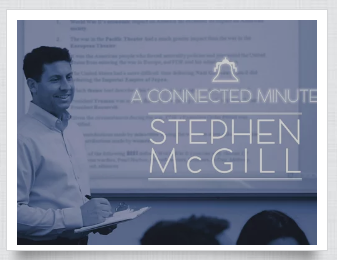
Watch the “Connected Minute” video to learn more about Stephen and his perspective on teaching and family.