Featured Post

Why blog?

Blogging is one way to reflect on our practice as teachers with the purpose of making things better for the future and sharing ideas with ...

Showing posts with label Padlet. Show all posts

Friday, June 16, 2017

A TECH ODYSSEY by Tracey Ryan

This is in a series of posts by teachers in the TUSD Connect Fellowship for the 2016-2017 school year.  I hope you enjoy reading their reflections on the impact of technology in their classroom, specific tools and strategies that have made a positive impact on teaching and learning, and their goals moving forward.

My tech journey this year has taken a variety of paths - not all of them planned, not all of them repeatable.  My focus was (and remains) narrowing the achievement gap between the regular and honors students.  I see technology as the last great hope to engage reluctant learners and help them produce final products that at least resemble their peers. While the differences between the honors and non-honors students are myriad - my focus this year has been on helping students find their voice in writing.  And while that goal is lofty enough - I also hope to allay their fears of writing - reducing their angst when faced with a blank page.

I dreamed that technology would make me superfluous -- that programs and apps would seamlessly teach my students to be better readers and writers. (I even dreamed that grading programs would provide feedback making my job significantly easier.) However, the truth is that technology is just a delivery system. I still had to design the lessons, engage the students and grade the assignments. The biggest impact was in organizing writing lessons; Google Classroom provided a place where students could actually see each step in the writing process. They also had access to models and samples from their peers. Technology didn't make the process easier, but having access to technology and a learning coach allowed me to keep scaffolding the writing process until all of my students showed significant gains.

MODELING QUOTE ANALYSIS
In order to increase student writing proficiency and help them navigate this complex process, I began the year by providing models to help students recognize their responsibility as a writer. When a reader reads - he/she has certain expectations that the writer needs to meet.  I teach my students in writing a response to literature that they first must provide context for the quote, then quote the relevant portions, before providing close text analysis and finally provide the significance or what I call the so what.  Follow the link below to see the EdPuzzle video that I produced to help students understand the terminology that I use and my model commentary.


Click here for link

VERSO ACTIVITY
Once they can identify the various elements that go into commentary - we work on building that analysis. When they had master the rudiments, with (lots of) help from my tech coach - I set up a multi-day Verso activity in which I supplied the quotes and students responded to them.  Students then provided feedback to their peers before they together wrote the "perfect" close text analysis.
Models and directions for the initial assignment (posted on Google Classroom):


Quote from A Tale of Two Cities:  “The wine was red wine, and had stained the ground of the narrow street in the suburb of Saint Antoine, in Paris, where it was spilled.  It had stained many hands, too, and many faces, and many naked feet, and many wooden shoes.  The hands of the man who sawed the wood left red marks on the billets; and the forehead of the woman who nursed her baby, was stained with the stain of the old rag she wound about her head again. Those who had been greedy with the staves of the cask, had acquired a tigerish smear about the mouth; and one tall joker so besmirched, his head more out of a long squalid bag of a night-cap than in it, scrawled upon a wall with his finger dipped in muddy wine-lees – BLOOD” (32).


Teacher Written Model of Close Text Analysis (CTA):
Dickens uses anaphora and visual imagery to describe the symbolism of the spilled wine and foreshadow the violence of the coming Revolution.  Dickens introduces the passageways of Saint Antoine, home to working-class Parisians, where a cask of wine has spilled outside the Defarge’s wine shop, flooding the streets and staining, “many faces and many naked feet, and many wooden shoes” (32).  Here, Dickens uses anaphora through the repetition of “many” at the beginning of each consecutive phrase, emphasizing the prevalence of the red wine that drenches “the ground of the narrow street” and soaks “hands,” “faces” and “naked feet” of the people.  Dickens’s choice of “many” hints that the future will include not just a few dissatisfied peasants, but instead an entire class of revolutionaries – the end result is a bloodbath.  In addition, Dickens employs visual imagery to describe “those who had been greedy” and have “acquired a tigerish smear” of wine “about the mouth” to heighten the tense atmosphere and portray the peasant’s feral thirst for the very thing “scrawled upon the wall” by the “finger dipped in muddy wine” – aristocratic blood”(32).  The chaotic suburb of Saint Antoine that Dickens creates in this passage foreshadows the inevitable Revolution in which the streets and peasants will no longer be stained with wine, but will instead be drenched with the blood of those who have been massacred.

Initial Assignment
Directions:  For your assigned quote, provide context, analysis and significance.  Significance can be to develop character, support theme, establish setting, create tone, or cultivate atmosphere.  Use the present tense when writing/talking about literature.  For this assignment focus on breaking down the lengthy quotes.
  • Include an assertion that includes the topic to be discussed.
  • Provide context(what is happening at the time) and the speaker
  • Embed a concrete detail – you don’t have to use the entire quote provided but make sure you include enough to prove the validity of your analysis.
  • Provide the analysis/commentary  


Student Written Example


After students write their responses - I asked them to evaluate their peers' responses.   

DIRECTIONS FOR STUDENT RESPONSES:


Sample response:

Once students had written their own commentary and responded to their peers’ commentary, the group used their experiences to write the “perfect” analysis. After their collaboration - students analyzed their quotes in front of the class before they presented their written commentary. Their classmates took notes, and each student wrote a second analytical chunk on the quote of their choosing.

Flow Chart (via Crystal Kirch)


REFLECTION: Using technology - students were able to practice their writing skills in multiple ways. What I appreciated most about this Verso assignment was that students got immediate feedback on their own writing. They had an opportunity to share their analytical knowledge and work collaboratively. Too often writing happens solo without an audience and with delayed feedback. Using Verso allowed (forced an immediacy)that afforded students an opportunity to ask questions, to respond to writing, to showcase their writing prowess (or get help to reach some semblance of writing prowess). Yes, this all could have been done without technology, but what made the lesson most effective was that students had to share and had to talk about writing. The more we as teachers can engineer these kinds of conversations the more we can help students internalize the process. The hard part for me was allowing sufficient class time for students to complete the assignment. Part of the reason that writing is such a solitary experience is that it's typically assigned and students can efficiently complete it at home - freeing class time for other activities. However, if I was serious about improving student writing - I needed to skip some of the other activities and devote sufficient class time to helping students master the writing process.


PADLET ACTIVITY
While the Verso activity provided an opportunity for students to practice their writing and receive valuable and immediate feedback - it hadn't really addressed my goal of reducing the achievement gap. With my non-honors students I continued to provide models and frames and practice. Lots and lots of practice. And still, the difference remained stark. As we approached the last response to literature essay before the summative assessment, I again pulled quotes and my students participated in a Commentary Clash. As with the Verso Activity - students were grouped to write collaboratively, but this time they wrote on the same quote with their analysis available for all to see. After all the analysis was completed, the class selected the commentary that best analyzed the specifics of the quote. The competition engendered some adrenaline but the real learning came with the discussion of why some commentary worked better than others. The quotes I selected were all appropriate textual evidence for the essay prompt to be assigned the following week.


Commentary Clash Directions:
  1. Quote is displayed on screen.
  2. One member selected as leader
  3. Group collaborates to write an analytical chunk (Context, CTA, Purpose)
  4. Leader copies and pastes chunk on Padlet wall (Period 1, Period 2, Period 3, Period 4, Period 5)
  5. Read other groups’ chunk, pick the one that provides the best adheres to the analytical conventions. You may not select your own analysis.
  6. Process continues.


Round 1:


Round 2:


Round 3:


Note that I included the link to the Padlet walls for all of my classes. Students, in my non-honors classes, had access to the analysis of their peers. All students had written commentary for the same quotes and now had examples available for them to read, discuss, and imitate.

Sample Response to Commentary Clash


REFLECTION:
While the hope was that by second semester all students would be writing proficient essays - I still had reluctant writers who couldn't/wouldn't produce any writing. Working collaboratively allowed for even the most intentional non-learner to produce something, and when they sat to write their essay the following week - they had pre-written commentary ready to go. The ability to use technology afforded my students the best opportunity for them to complete a proficient essay. Unfortunately, technology is only a tool, and so not all students completed the essay but those who did showed significant improvement.


WHAT'S NEXT:

This year as a tech fellow, I often felt like Sisyphus pushing that large boulder up the hill. And every time I felt like I reached a plateau - some kind of tech breakthrough - there came another hill. My learning curve was long and slow and sometimes painful, but my coach kept encouraging me and asking questions and helping to make connections. I gained a modicum of courage and self-sufficiency. Instead of running through the lesson endlessly and making my TAs log in to help me address any unforeseen problems - I started just to experiment with lessons, to steal ideas from peers and apply them into my own lessons. Nothing bad happened which strengthened my confidence, With this new-found confidence, I hope to continue helping students find their voices and reach some level of writing proficiency. However, writing alone does not make a writer; there's a reading - writing connection. Next year, I plan on adding a focus on reading using Actively Learn, EdPuzzle, and Kami to help students read more analytically.

This journey has been tough, but the rewards were well worth overcoming my own insecurities and tech phobias. I thank and appreciate my coach and my students for their patience. Whenever I got stuck - there were scores of people willing to help. This is not a journey I could have embarked on by myself. Thank you to all who made it possible.

Wednesday, July 20, 2016

Improving Student Learning through Instant Feedback & Constant Communication (Tracy Dawson)

This is in a series of posts by teachers in the TUSD Connect Fellowship for the 2015-2016 school year. I hope you enjoy reading their reflections on the impact of technology in their classroom, specific tools and strategies that have made a positive impact on teaching and learning, and their goals moving forward.

Technology has transformed my classroom this year!

I have infused technology in my lessons in previous years but through this Technology Fellowship I have created a learning environment that is dynamic, effective, and efficient for my students all driven by the purposeful use of technology.  I teach Human Body Systems (HBS), AVID, and Biology CP and I have integrated technology into each of them in different ways.  

One of the major shifts this year in HBS is making my labs digital.  There is a lot that goes into digitizing a lab so the process has been quite an undertaking but the benefits make it completely worth the time invested.  I utilize Google Classroom in HBS (as well as in AVID and Biology).  The organization of Google Classroom and Google Drive has been a great way for my students to have a place to go to for all labs/handouts/links/announcements/etc.  It avoids students being confused on where to go to get the document or link and it allows for students to have a “homebase”.  In HBS, the students complete a lab about once a week and before digitizing my labs I was not completely satisfied with the way I was checking their progress or their understanding besides informal assessments and check-ins and Friday Quizzes (which at that point was a bit late).  I now can give every student real-time feedback as they are completing their lab through the great collaborative feature of Google Docs.  I have a running dialogue with my students about their lab and it is a place they can ask questions and I can clarify key points as well as checking in on their progress on the lab.  My HBS students are very comfortable with Google Classroom and Google Drive so I can ask them to take pictures of their dissections spur of the moment and they are able to digitally label them in a Google Drawing and upload them to Google Classroom so I can grade their dissections more thoroughly and they can have their labeled dissection to review. Here is an example of a labeled Digestive System from the Fetal Pig Dissection.  


Here are a few other ways technology impacted teaching and learning... with samples for you to look at!
  • I embedded Quizlets into GoFormative for all three of my classes as formative assessments as well as review for the students.  Here is an example of a quizlet embedded into GoFormative for a Biochemistry review for my Biology CP class.  


  • Google Drawings - The students created Google Drawings of concept maps for the Endocrine System as well as for the Insulin/Glucagon Feedback Loop in the Human Body.  Here is a Student Sample of the Insulin/Glucagon Feedback Loop.  In previous years, I had the students draw their concept maps and feedback loops on paper and I was not able to fully review them until they turned them in which was on the day of the quiz so it was too late to fix major misconceptions.  Having the students create them on Google Drawings allowed me to write comments on them as they were making them so misconceptions were dealt with right away.    

  • I also used Quizizz, Socrative, Let’s Recap, and GoFormative to do concept checks and for the students to review for the quizzes and tests in our class.  Anatomy has a lot of terms that the students need to know and the spelling is important so the Quizlets I embedded into GoFormative were particularly helpful because they tested my students on definitions, spelling, and being able to label diagrams.

  • I also utilized Google Forms (for reflections and to collect data), Padlet (get to know activity, summing up lessons, and reflections), and ThingLink (making a diagram of a cow eye more dynamic by adding “tags” to label each part, stating its function, and inserting videos).

  • AVID - Digital Journals (student-teacher dialogue), Google Forms (grade reflections, submitting questions for Socratic Seminars).  All of these allowed me to actually read and provide timely feedback to each of my students which was more difficult and time consuming to do when they wrote their journals on paper.  Before I digitized the journals and reflections in AVID, it took me so long to read them and I felt that in the time it took for me to get my written feedback back to my students, part of the impact of the feedback was lost.  Now, I am able to give immediate feedback and it helped me in the beginning of the year to get to know my students very quickly.

  • Biology - Collaborative labs on Google Docs, Google Forms (submitting lab data, reflecting on test/unit/grade in class), Google Slides (visual vocabulary), Google Drawing (Karyotype Activity), Quizizz, GoFormative, and Padlet.


I am very excited to continue to refine my use of technology in my classroom next year.  This summer, I plan to complete the certification and exams to become a Google Certified Teacher (Levels 1 and 2).  I am also planning on taking two technology courses online (“Flipping the Classroom” and “All Things Google”).  Finally, my new obsession, Twitter!  I will continue to connect with educators on Twitter to grow and develop my purposeful use of technology in the classroom.

I cannot begin to say how impactful this fellowship has been on my teaching practice.  I went from someone who would sometimes shy away from using certain things because I assumed the students wouldn’t have their devices (mostly in Bio) or not knowing if it was going to work well to now wanting to try every awesome idea that I come across!  Like most things in a teacher’s classroom, if it is set as an expectation from the beginning of the school year, then a teacher will have a lot less trouble during the year.  In my class, having your device everyday is like having a pencil and paper.  I also found the more willing and open I am to trying new things in my classroom, the more willing my students are.  There were times when I used a certain technology in my class and I thought “that was okay” but I can make it way better by tweaking a few things or using a different technology to accomplish the same goal in a more effective manner.  But the fact that I was not afraid to try the technology and my students were willing to engage in their learning through the use of a specific technology helped me to discover the things that worked best in my classroom and worked best for my students.

Tracy Dawson is a Human Body Systems, Biology, and AVID teacher at Beckman High School in Irvine, CA.  She is an innately curious person and considers herself a “lifelong learner”.  Tracy is a self-professed science and tech nerd and loves to be constantly adding to her “tech toolbelt” and enhancing her teaching and her students’ learning through the purposeful use of technology.  Tracy also serves as AVID Coordinator and a mentor teacher in the science department.  

Sunday, May 29, 2016

Tried and True Lessons Made New (Stephen McGill)

This is in a series of posts by teachers in the TUSD Connect Fellowship for the 2015-2016 school year. I hope you enjoy reading their reflections on the impact of technology in their classroom, specific tools and strategies that have made a positive impact on teaching and learning, and their goals moving forward.

Every year I feel like a new teacher. While I build upon the successes of the past, I am constantly evaluating to what extent the activities I have designed are meeting the needs of my current students. To this end, the frequency and scope of my implementation of technology in the classroom this year represents a dynamic shift in my teaching. I have used several applications to what I perceive to be great results in the past. However, through the coaching process, my repertoire of applications has increased dramatically. I am now able to move more seamlessly between various apps and select an appropriate tool for specific lessons.

If student learning is simply a function of exam scores, then the use of technology in the classroom is having a demonstrably positive effect on student outcomes. More importantly, using technology has also increased student engagement and class participation, When I provided a one or two page activity on printed paper, most students would dutifully answer the questions or respond to the prompts with just enough elaboration to address the prompt and support the response with evidence. However, I have noticed throughout the past year that when similar activities are pushed out via Google Classroom, the depth and complexity of students’ responses has increased steadily.

The following student samples demonstrate the depth of their preparation on an activity that would typically have a one or two page response.


The following applications represent what I will continue to use as an integral part of my teaching.
  • Google Classroom
  • Google Drive
  • Google Docs, Slides, Drawings
  • Google Forms
  • Padlet
  • Verso
  • GoFormative
  • Haiku (discussions, polls, content management)
  • Quizizz
  • Kahoot
  • Ancillary Resources (videos, websites)


Google Drawing
While many of my lessons and activities may look similar to what I have done in the past, I know I have made incremental, though profound changes that have ultimately resulted in better lessons and increased student engagement and performance. For example, using Google Drawing for my previous “Tell the Story” framework has resulted in significantly better results. Exam scores and commentary during the class discussions and debates reflect this increased understanding both quantitatively and qualitatively.

Here is a student example that demonstrates the connections between significant events during President Jefferson’s tenure in office from 1801 - 1809.


Presentation on Google Classroom and Google Drawing
I had the great privilege of presenting this year at the TUSD Connect Institute 2016 with my Digital Learning Coach and mentor Crystal Kirch. We presented an overview of Google Classroom and demonstrated the use of Google Drawing, Docs, and Forms in the classroom. Please use the following link to access the slides and the examples.


Padlet
While I use several applications in my teaching interchangeably throughout the year, Padlet has always been my “go to” platform for expedient and purposeful student responses. Earlier this year, I used Padlet to facilitate responses from my students regarding the excerpt I had each of them read from Babbitt, by Sinclair Lewis. The purpose of the reading was to provide students with a glimpse into the world of a successful businessman, who in the beginning of the 1920s, represented the upper-middle class.

At the beginning of class, I provided an introduction to various book covers of Babbitt. Students shared their interpretations during our class discussion. I had students listen to the title track from The Lego Movie titled “Everything is Awesome.” I asked them to comment to what extent this would serve as a theme song for the 1920s. Shortly after, I assigned various groups specific prompts regarding the text as it relates to today.

Here is a sample of what student responses to a prompts regarding the text as it relates to today look like on the Padlet wall.

Padlet - The Epilogue
While the class discussions were on point and revealed the striking parallels between the 1920s and today, I learned an even more valuable lesson regarding instructional practices from this experience.


The BREAKTHROUGH of my Tech Journey!

Specifically, I am constantly considering how and in what way I want my students to interact with the material. As I reflected on this experience, I came to following conclusions:

  • I employ the use of technological applications most frequently when I am confident that my students are well-versed and prepared with regard to the topic at hand. I often use applications such as Padlet, Formative, Verso, Kahoot, or AnswerGarden.

  • If I am NOT confident that my students understand the material, I am finding that I move away from using technology and go directly to providing prompts for students in pairs or groups to begin the discussion and to provide the opportunity to conduct research. If students do not know the material very well, I am finding that their responses via any technological application will not reveal startling insights or spark an epiphany among their peers. As such, why employ the use of an app and valuable class time for the sake of using technology?


My Conclusions

My answer to my own questions is that I always consider the ultimate purpose for having students use applications as I plan lessons. My decisions are based upon the following criteria:

New concept/material
Use a class prompt/stimulus and provide time for students to reflect, discuss, research, and share.
Significant preparation and familiarity
Use an app or technological platform to showcase/broadcast understanding


Verso
As I mentioned previously, I use several apps to elicit student responses and to prompt student discussion and interaction. While Padlet serves as an expedient and purposeful tool for showcasing student responses, I have used Verso specifically to highlight students writing, NOT student authorship. In other words, it has been my experience that many students will evaluate student writing samples based upon who the author is and not upon the quality or cogency of the actual writing.  

To this end, Verso has provided an excellent platform that allows students to anonymously post their responses and provide feedback to others without the bias inherent with authored posts or comments.

Here is a sample of what student responses to a prompt using Verso looks like on on the screen.


The Tech Fellow Journey Continues…

Based upon the impact that the use of technology has had upon my teaching and the success of my students, I am eager to refine, revise, and create activities that will continue to encourage the exchange of information, ideas, and perspectives among my students. Although I used the apps highlight below this year, I will make a concerted effort in the near future to employ these apps more consistently and comprehensively to encourage student interaction and learning in my classroom.


While the following tools are NOT in my toolbelt at this time, I plan to explore each and implement them in the classroom with my students next year!


My Final Thoughts as a Tech Fellow
Although I am approaching the end of my 18th year in education, this is my first experience having a dedicated, weekly mentor to help me improve and refine my practice. I think it goes without mentioning that it was long overdue. As such, I want to continue to improve my craft and develop new lessons utilizing the apps and ideas I have learned and implemented throughout the year. The evolution and use of technology and its use in the classroom will only hasten with time. As such, I feel more confident in my ability to use new and existing apps, to reinvent old lessons and activities, and to develop new experiences for my future students with apps that may not even be developed.

The Tech Fellowship has been a welcome and enriching professional and personal experience. Teaching six classes and 200+ students does not always afford me the time to search for technological solutions to pedagogical problems. The Tech Fellowship has provided me with a dedicated partner to help me negotiate this process. Additionally, I feel more confident in my ability to develop and use a wider array of apps with my students. The more apps I learn  and use, the easier it is to use them in the classroom. Consequently, the more I use a variety of apps in the classroom, the easier it is for my students to respond more efficiently and more meaningfully. Furthermore, my tenure as a Tech Fellow has empowered me to what I have learned with my students and with my colleagues.

About the Author
Stephen McGill has been teaching in the Tustin Unified School District since he entered the profession in 1998. He currently serves as the History/Social Science Department Chair at Beckman High School in Irvine, a position he has held since the school opened in 2004. He has taught a wide-range of courses to students in grades 6 - 11 from language arts and history in middle school to Advanced Placement United States history in high school. He started his career at the middle school level at Columbus Tustin Middle School. After one year, he served as a member of the founding staff at Pioneer Middle School where he served as department chair until he joined the Beckman faculty. Most recently, Stephen has joined the faculty at Concordia University in Irvine in his newest role is as an adjunct professor where he teaches the introductory course to students who have enrolled in the teaching credential program and who aspire to join the profession.


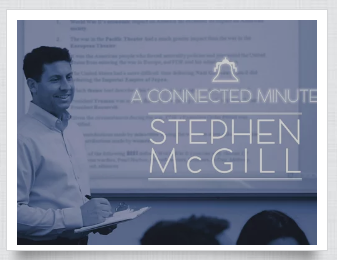
Watch the “Connected Minute” video to learn more about Stephen and his perspective on teaching and family.